Technical Considerations
Bridging Header
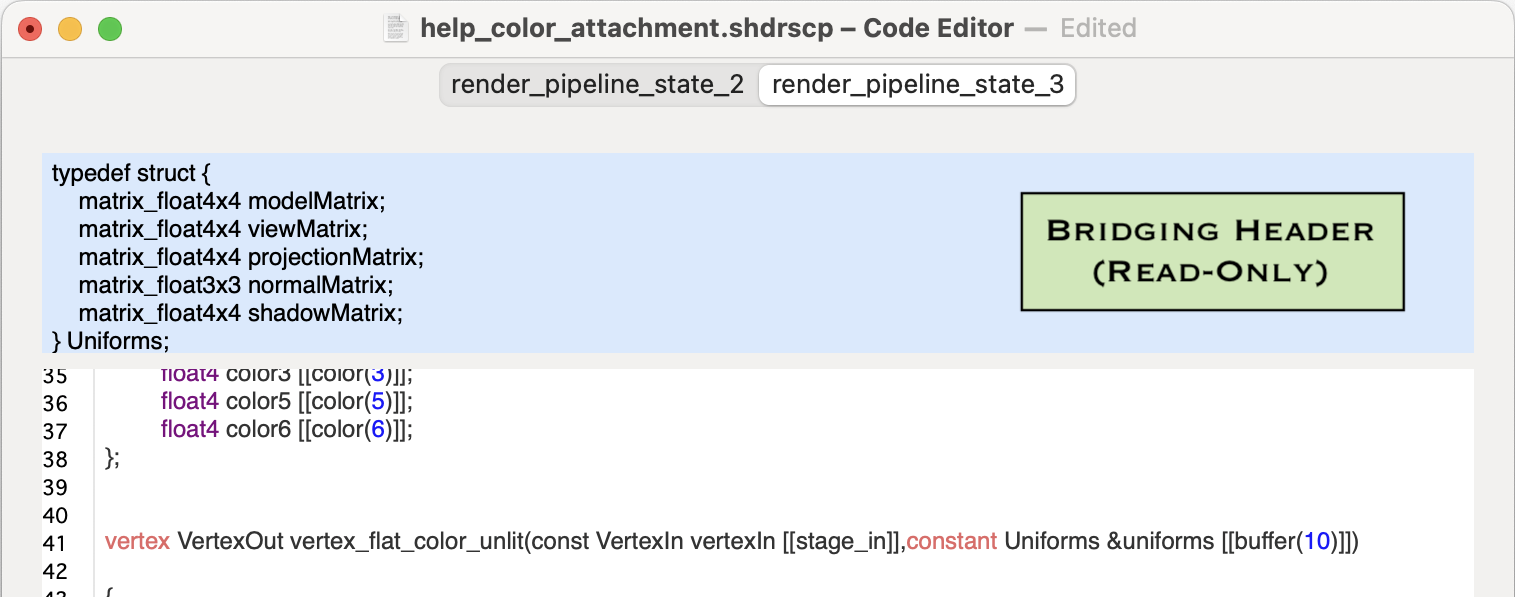
The bridging header for ShaderScope contains the vertex and fragment uniforms that are passed to their respective shaders as well as information about the lights. ShaderScope uses these uniforms to manage several aspects of your projects, including everything from moving your 3D models around to rendering and managing the user interface.
Because this header must be compiled with the ShaderScope app itself it can't be edited as part of your project. However, there may be some information in the uniforms and lights that would be useful for you as you work with your shaders, so the full header is displayed in the top section of the code editor in case you want to refer to it (it has the blue background).
Note that not all of the uniforms or light values are populated for all shaders or render passes, so be mindful of shader code that relies on them.
Shader Constants As Uniforms
Because ShaderScope is managing uniforms for both types of shaders, you won't be able to pass uniform values the way you normally would when developing your own Metal project in XCode. One alternative is to declare your uniform values as constants at the start of your shaders in ShaderScope. While not a perfect substitute for passing uniforms, doing this should still allow you to use consistent values as you edit and test your shaders.
Metal Libraries For Your Shaders
You can't import any libraries into your shader code other than <metal_stdlib>, which is #included for you already. One of the restrictions of Apple's shader compiler is that when it's used to compile code from strings during runtime (which is what ShaderScope is doing), no other libraries can be included.
Data Type Support For Interactive Shader Inputs
The data types you can use for shader input controls with which you want to interact are:
- 3D models (.obj files)
- 2D color textures
- 2D depth textures
- Integer values
- Float values
Back to Help