Code Editor
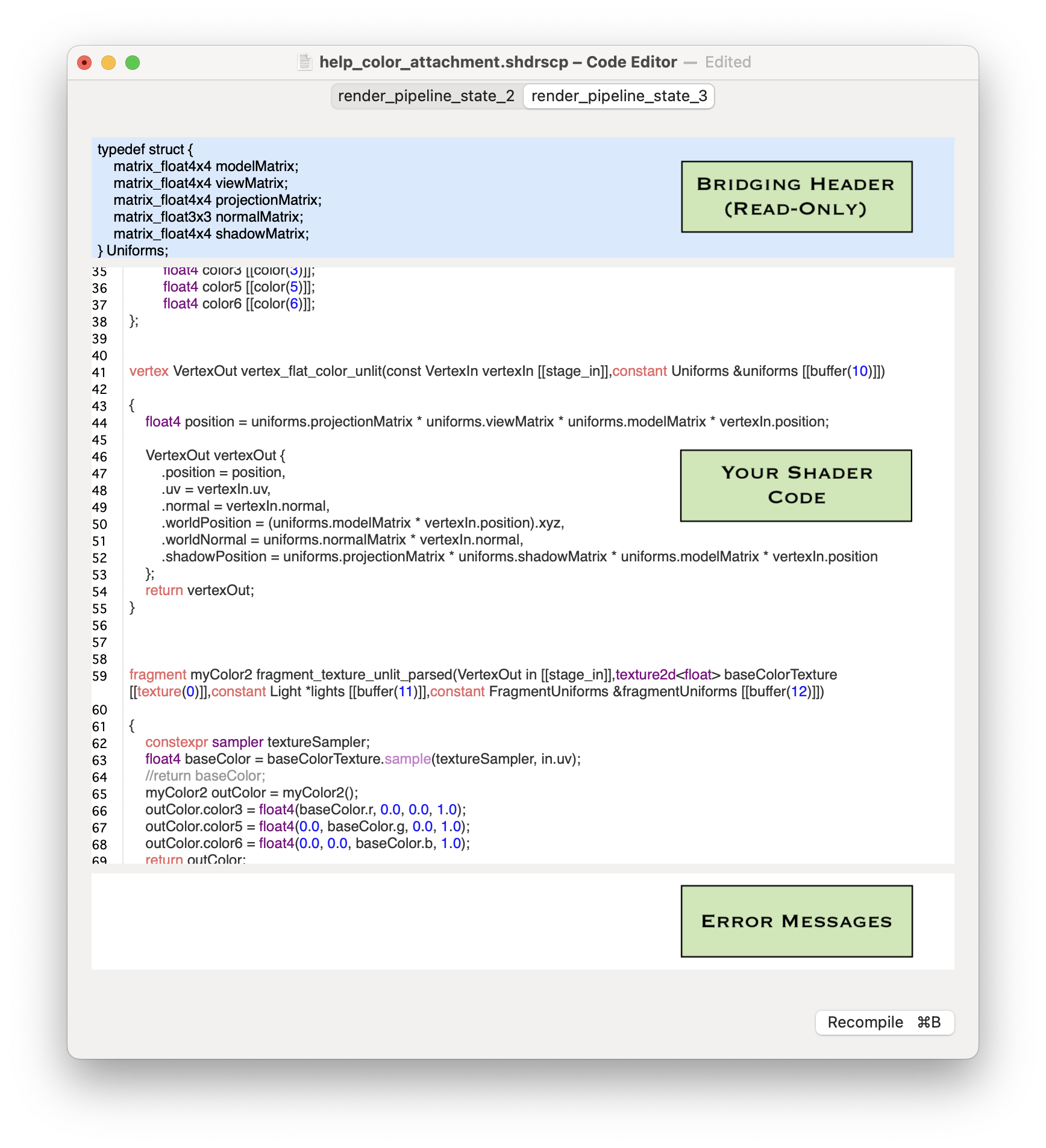
The Code Editor Window shows the code for all the pipeline states in your project. A render pipeline state's vertex and fragment shader are shown together in a single editor screen for easy access to the code for both functions. Each compute pipeline state's kernel/compute shader code gets its own editor.
Bridging Header
The top section displays the bridging header that ShaderScope uses to pass some information between its application code and your shader code. Because this code must be compiled with the ShaderScope app itself it cannot be edited. However it does reveal what information is passed as uniforms as well as how some structs are built, which might be useful if you want to see where these values come from and/or incorporate them into your shader code..
Your Code
The middle section is where you edit your shader code. This section uses Apple's own Metal Shader Language compiler, so any MSL code version 3.2 or older will work with a few exceptions:
- You can't pass your own uniforms from host code to your shader code. The parameters that refer to the Uniforms and FragmentUniforms types are there so ShaderScope can pass information to your shaders (and to its own code behind the scenes). You can, however, add constant values to your shader code in place of uniforms while you're experimenting in ShaderScope, then change them to uniforms when you move your code to your own XCode project.
- You can't import any libraries into your shader code other than <metal_stdlib>, which is #included for you already. One of the restrictions of Apple's shader compiler is that when it's used to compile code from strings during runtime (which is what ShaderScope is doing), no other libraries can be included.
Error Messages
The bottom section is for displaying any error messages related to your shader code. These are generated directly by Apple's Metal compiler.
Back to Help